An open-source Electron app built on whisper.cpp. No cloud, no Python, no per-minute API bill — one machine with a GPU transcribes, any other device on your network uses it as a client.
100% local recognitionno Python requiredhost + client over LANApache-2.0, open source
What you get
Everything runs on hardware you already own.
Fully local recognition
Speech-to-text via whisper-cli.exe (whisper.cpp) — audio never leaves your network, no third-party API involved.
Server / client roles
One machine with a GPU holds the model and transcribes; every other device on the network connects as a thin client.
Automatic GPU detection
Checks for an NVIDIA GPU via nvidia-smi and downloads the matching CUDA or CPU build of whisper.cpp on its own.
Any Whisper model
From tiny (~75 MB) up to large-v3 (~3 GB), or point it at your own .bin file.
Format flexibility
mp3/wav/ogg/flac go straight through; m4a and mov are converted to WAV right in the browser — no extra tools.
Secured by design
Shared secret + short-lived bearer tokens on every request, and history that's physically loopback-only on the host.
How it works
Three machines away or on the same desk — same three steps.
Record Google Meet calls too
A companion Chrome extension — Mova Flow Meet Recorder — captures both sides of a call and sends it straight to your Mova Flow host.
Tab + mic, mixed
Captures everyone else on the call from the tab, and your own voice from the mic, mixed into one track so the transcript covers the whole conversation.
Built into Meet's toolbar
Adds a Record button right next to mic/camera in Meet's own call controls, or use the same button from the extension's popup.
Same host, same security
Uploads to your Mova Flow host over the same shared-secret, bearer-token flow the desktop app uses — nothing leaves your LAN.
Never loses a recording
If the host can't be reached, the recording is saved to Downloads as a .wav instead — upload it manually once the host is back.
Not yet on the Chrome Web Store — for now, install it unpacked via Developer mode. See the privacy policy for what data it handles.
See it running
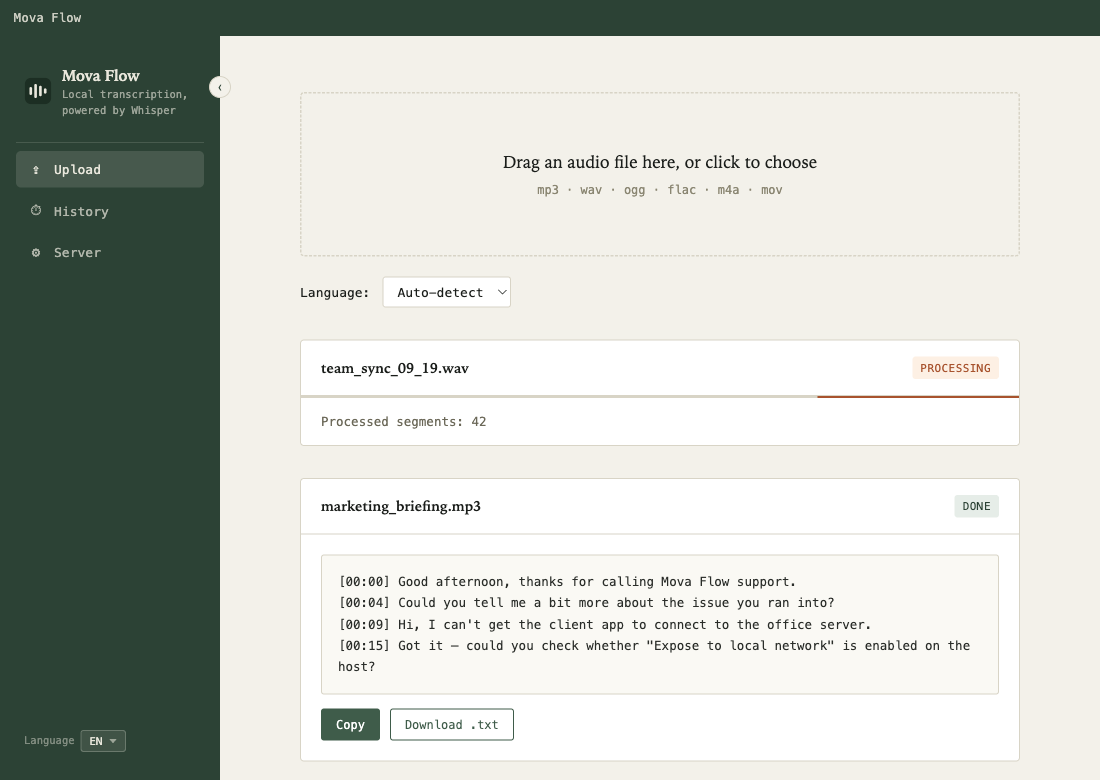
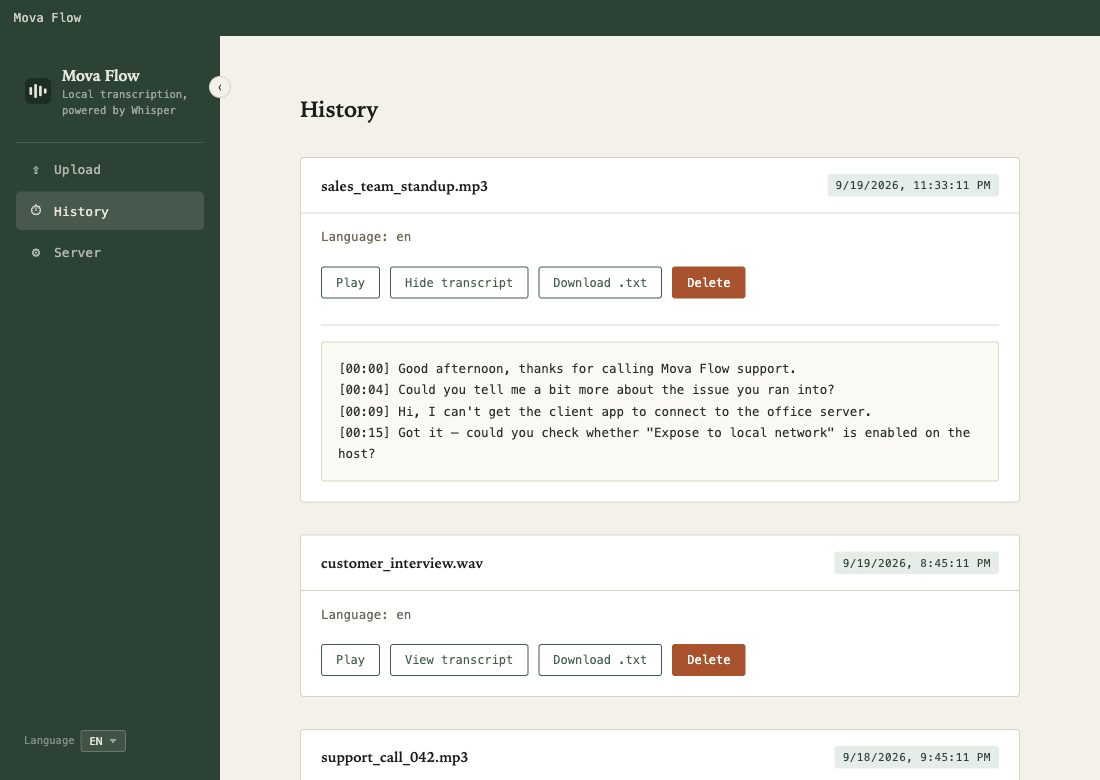
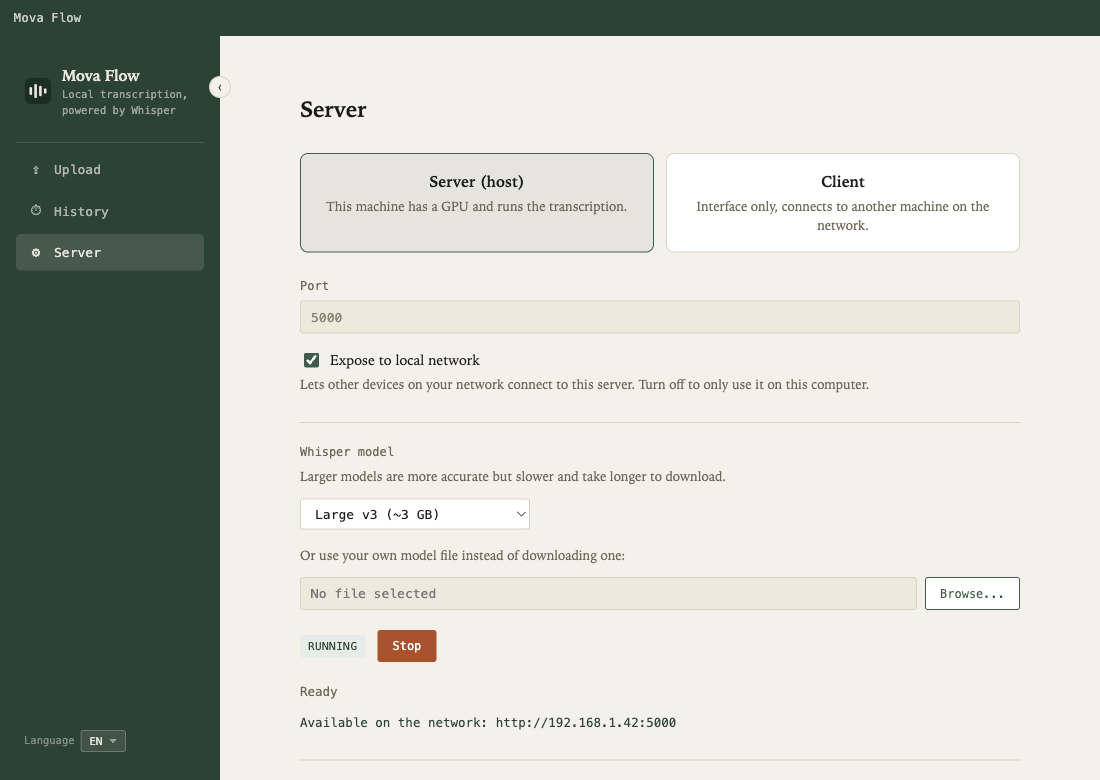
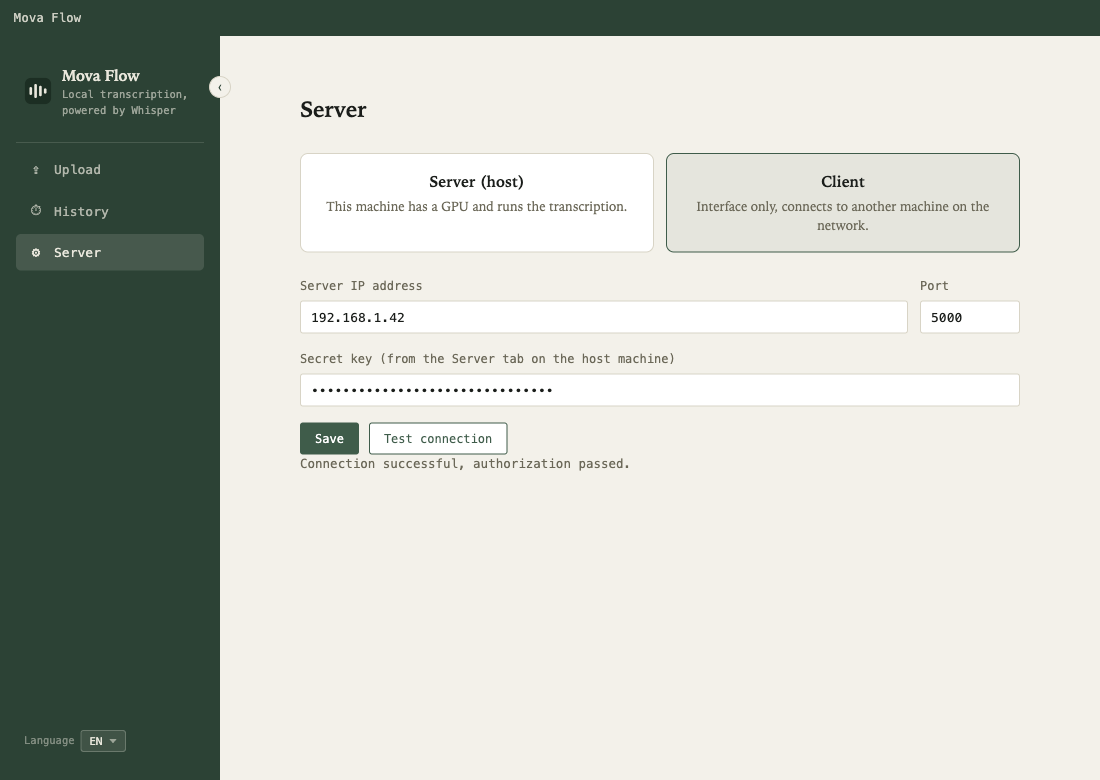
The whole interface — uploads, history, and server setup for both roles.
Upload — drop a file, watch it transcribe liveHistory — every past transcript, with audio playbackServer — host role: model, LAN exposure, secret keyServer — client role: point it at a host and go
Built to stay on your network
A shared secret exchanges for a short-lived bearer token on every request. History is gated to 127.0.0.1 at the code level — a client's own history can never physically reach the host, token or not.
Installers aren't code-signed: Windows may show a SmartScreen warning ("More info" → "Run anyway"); macOS will say the app "is damaged" — open the .dmg and double-click Install & Open.command instead, it installs and clears the flag in one step.